Skip to content
AI Tools

Other AI

Discover and compare emerging AI tools beyond the big names. Reviews, features, and practical guides.

40 articles

Sort articles to find what you need

What Is LoRA? Customizing AI With a Tiny Bit of Extra Training

What Is LoRA? Customizing AI With a Tiny Bit of Extra Training

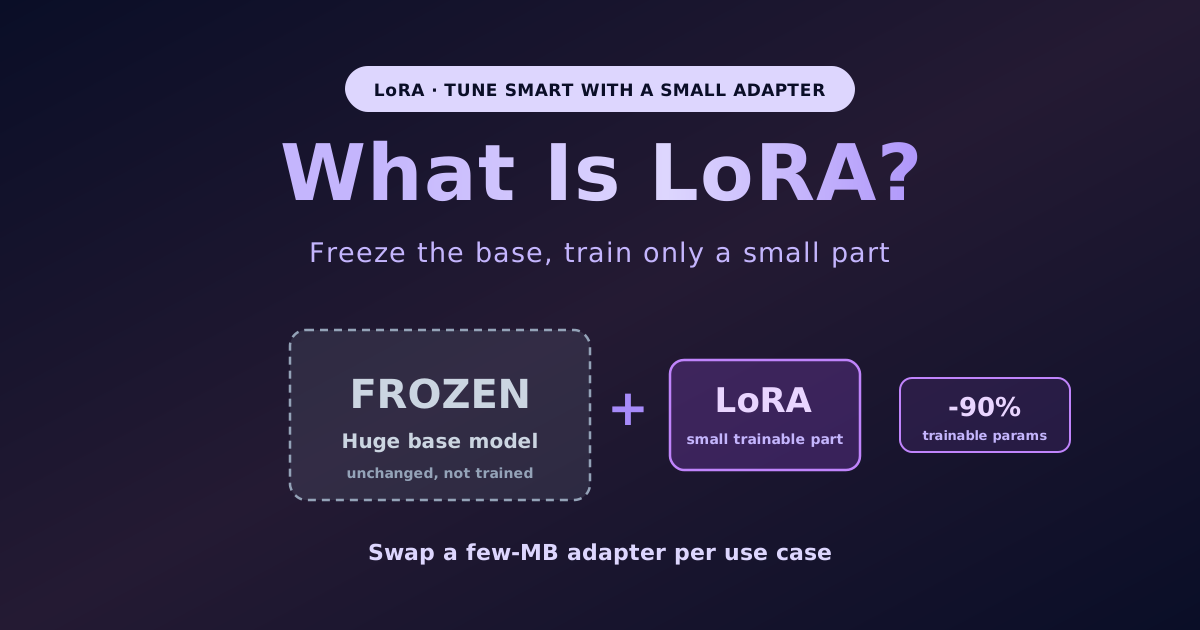
Retraining a giant AI from scratch is too expensive, but you want to tweak it just for you; LoRA (Low-Rank Adaptation) grants that wish by freezing the original model and training only a tiny add-on part (an adapter), cutting trainable parameters by about 90%. LoRA makes fine-tuning dramatically cheaper and faster, and is hugely popular in image generation like Stable Diffusion as a small file that adds a character or style. This article explains it with a patch analogy. LoRA is the flagship of parameter-efficient fine-tuning (PEFT): leave the huge original weights frozen, insert a small add-on matrix into each layer, and train only that (W = W0 + BA, where W0 is frozen and BA is the small added part). It builds on the discovery that adapting an AI does not require big changes (a low rank is enough). Benefits: about 90% fewer trainable params (reportedly 10,000x fewer at GPT-3 scale), less GPU memory (about 3x less), faster and cheaper training, no inference latency once the adapter is merged, and lower overfitting risk. Its biggest strength is swappable adapters: keep one common base and swap small (few-MB) LoRA files per use case (support, company tone, a specific character) instantly. Many people first meet LoRA in image generation, where Stable Diffusion LoRAs that learned a character, style, or subject are shared widely (add a style, teach a character, light and shareable). QLoRA combines quantization, training LoRA on a 4-bit base for ~4x less memory than standard LoRA, enabling fine-tuning huge models on a consumer GPU (sometimes CPU) with minimal accuracy loss. Versus full fine-tuning (train all weights), LoRA differs in weights trained, cost, output, and best use; for most work LoRA is enough. Keep the base, season it small. Figures are quoted from public materials, directional.

What Is Quantization? Shrinking AI Models to Run Them on Your Own Machine

What Is Quantization? Shrinking AI Models to Run Them on Your Own Machine

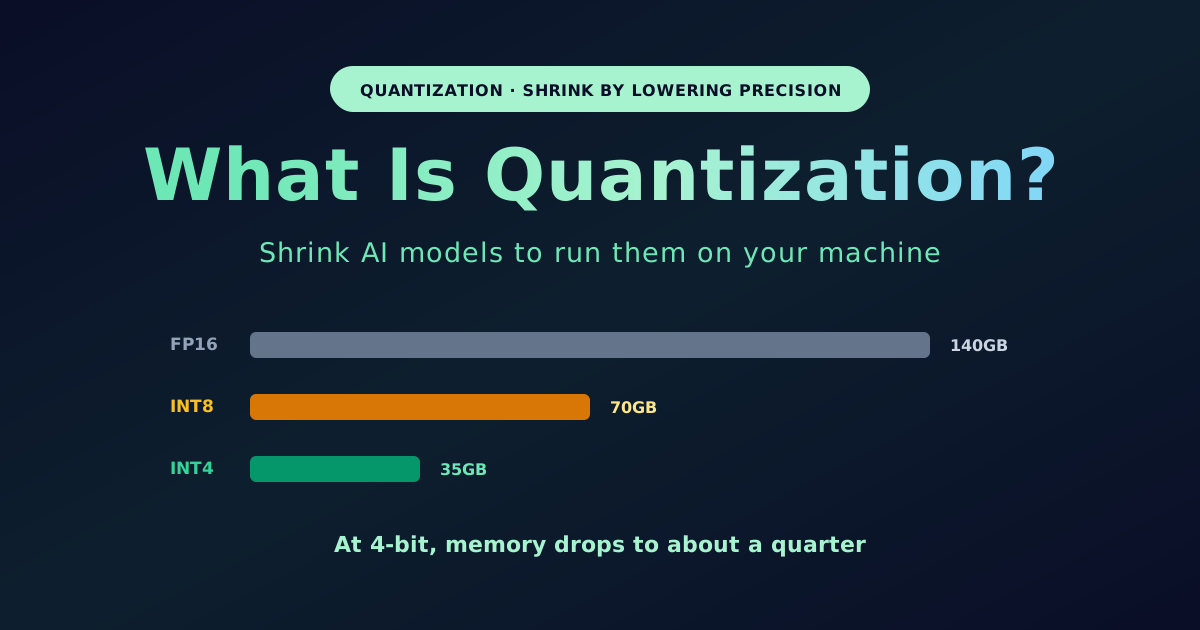
A huge 70B model running on a single home gaming PC instead of a rack of data-center GPUs is made possible by quantization, which lowers the numerical precision of a model's weights to dramatically shrink size and memory. Whereas model distillation moves knowledge into a separate smaller model, quantization makes the same model lighter. This article explains it with a photo-compression analogy. Quantization replaces weights stored as FP16/FP32 decimals with INT8 (8-bit) or INT4 (4-bit) integers, cutting bytes per weight (FP32=4, INT8=1, INT4=0.5); like compressing a RAW photo to JPEG, you sacrifice a little precision for a big reduction, and the surprise is how little you give up. On memory, 4-bit uses about a quarter of FP16: a 70B model drops from ~140GB to ~35GB, and an 8B model at 4-bit is ~4.5-5GB, fitting a midrange 8GB-VRAM GPU for local use (the democratization of LLMs). On accuracy, INT8 is nearly lossless and INT4 degrades under 4% on general Q&A/commonsense tasks, but loss is more noticeable for math, code generation, and hard reasoning (it shows as a small rise in perplexity), so pick the bit-width for the task. Main methods: GPTQ (pioneer of accurate 4-bit), AWQ (protects the ~1% most important weights, often 1-2% more accurate and faster), GGUF (llama.cpp/Ollama format, Q2_K-Q8_0, CPU+GPU hybrid, for local), and QLoRA (4-bit base plus LoRA for consumer-GPU fine-tuning). It differs from distillation (move to a separate small model) and fine-tuning (add task knowledge), and the three are usually combined (quantize a distilled model; fine-tune a quantized base). To start, run a GGUF model with Ollama in one command, choose Q4/Q8 by VRAM, and avoid INT4 for code or exact math. Most major models ship already quantized, so you just download and use them. Keep the smartness, drop only the weight. Figures are quoted from public materials, directional.

What Is Model Distillation? Moving Knowledge From a Big AI to a Small One

What Is Model Distillation? Moving Knowledge From a Big AI to a Small One

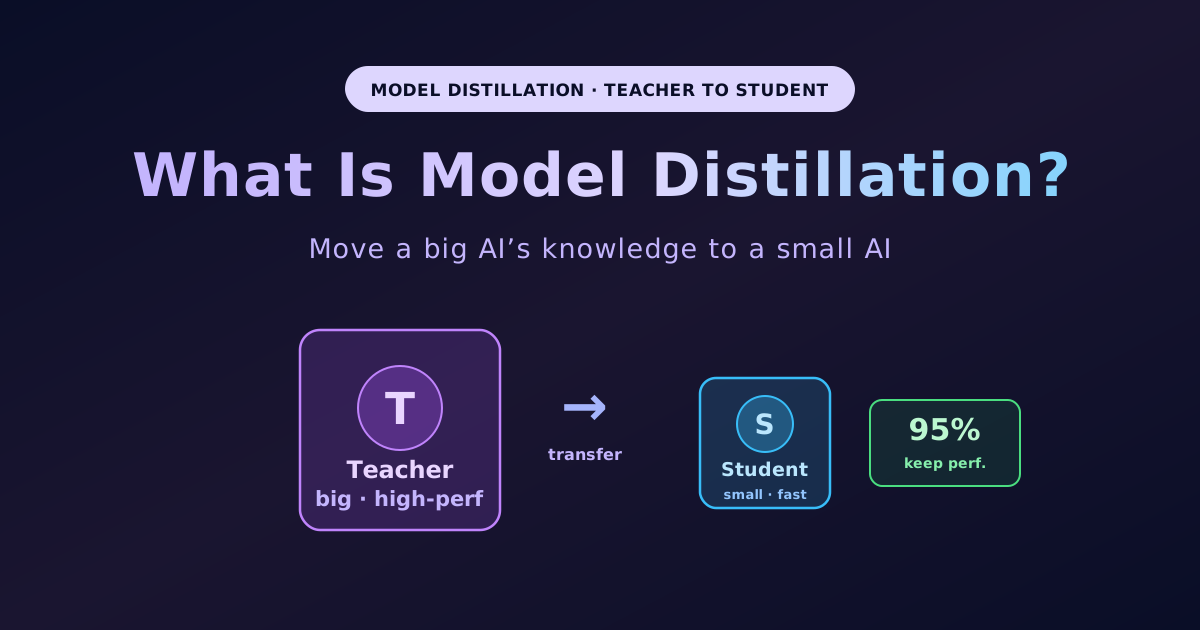
A huge, high-performance AI is smart but heavy and expensive; model distillation (knowledge distillation) solves this by transferring a large teacher model's knowledge to a small student model, keeping 95%+ of the teacher's performance at one-tenth the size and speed. This article explains it with a teacher-student analogy. The key is soft labels: ordinary training teaches only "the answer is cat" (hard label), while distillation passes the teacher's full probability distribution like "90% cat, 8% dog, 2% fox," whose degree of hesitation carries rich information; a temperature parameter softens the probabilities to reveal subtle relationships (real example: GPT-4o mini distilled from GPT-4o). Benefits: fast and cheap, ~10x more compact while keeping 95%+ performance, runs on the edge, strong for specialization. Two approaches: white-box (full access to weights and internal representations, deeper transfer; for your own or OSS models) and black-box (only outputs/API responses visible; using another company's API as teacher can violate terms). It differs from quantization (compress the same model's weight precision) and fine-tuning (further-train an existing model for a task) — distillation moves knowledge into a separate small model, and the three are combinable. The legal/ToS reality was a big 2026 issue: the technique is legitimate, but OpenAI, Anthropic, Mistral, and xAI include anti-competitive distillation clauses prohibiting using outputs to build competing models, so distilling a competitor from a restricted API can violate terms. The OpenAI v. DeepSeek dispute (OpenAI alleged DeepSeek-linked accounts circumvented restrictions to obtain outputs for distillation, while DeepSeek's terms reportedly permit distilling its outputs) shows the assessment depends on whose API terms apply, and Claude Fable 5/Mythos 5 reportedly restrict responses on distillation-flagged work. Tips: use your own or licensed OSS models as teacher, check anti-distillation clauses before using a commercial API, and judge whether the use is "developing a competing model." Smartness from the big model, operation from the small — but who you pick as teacher changes the outcome technically and legally. Figures are quoted from public materials, directional.

What Is Fine-Tuning? Fine-Tuning vs RAG, LoRA/QLoRA, and When to Use It — A Beginner's Guide

What Is Fine-Tuning? Fine-Tuning vs RAG, LoRA/QLoRA, and When to Use It — A Beginner's Guide

When you want to customize AI for your own company, fine-tuning is one of the options — but dive in carelessly and it is costly and easy to get wrong. This beginner guide explains fine-tuning: taking an already-trained base model, training it further on data tailored to your use, and reshaping it into a specialized model that bakes "behavior" (house style, output format, domain phrasing) into the model itself by rewriting its weights. Fine-tuning is good at changing behavior but bad at memorizing up-to-date knowledge, so the rule is "facts and knowledge → RAG, personality and mold → fine-tuning, prompts first." As experts note, about 80% of "we need fine-tuning" is solved by better retrieval (RAG) or prompting, so order matters. The article covers what fine-tuning is (a new-hire-training analogy), what it is good and bad at, a fine-tuning vs RAG vs prompting comparison table, the main methods (full fine-tuning, LoRA, and QLoRA — 4-bit quantization that is light enough for beginners), what you need (500+ high-quality examples as a guide, with data-building the real work; costs from $5,000 to over $50,000, OpenAI fine-tuning at roughly $25–$100 per million training tokens; tools like OpenAI, Unsloth, Axolotl, and Hugging Face), and the order to start in. Fine-tuning is the last resort.

How to Run a Local LLM: AI on Your Own PC — Specs, Tools, and the Best Models for Beginners

How to Run a Local LLM: AI on Your Own PC — Specs, Tools, and the Best Models for Beginners

You probably assume an LLM has to run in the cloud, but in 2026 running AI entirely inside your own PC — a "local LLM" — is a realistic option. A local LLM means running a model like ChatGPT or Claude directly on your machine instead of in the cloud. The three big draws are privacy (input never leaves your device), zero cost (no API fees), and offline use (works with no internet). The downsides: it is not as smart as the top-tier cloud AI, needs a reasonably capable PC, takes some setup, and has no up-to-date knowledge. This beginner guide covers what a local LLM is (a streaming-vs-downloading analogy), the upsides and downsides, the specs you need and quantization (the GGUF format, with Q4_K_M the go-to that keeps quality while cutting memory to about a quarter; roughly 0.5 GB of memory per 1B parameters at 4-bit), how to start (LM Studio's GUI for beginners, Ollama's CLI for developers — 52 million monthly downloads in Q1 2026), recommended 2026 models (Llama 3.2 7B, Google Gemma 4, Alibaba Qwen3.5, plus DeepSeek and Mistral — all open), and when to use local vs. cloud (local for confidential, high-volume, and offline work; cloud for hard problems). The fastest first step: run one small 3B–7B model in LM Studio.

Claude Fable 5 Release Deep-Dive — Features, Benchmarks, Pricing, the Mythos Difference, and a New Safety Design

Claude Fable 5 Release Deep-Dive — Features, Benchmarks, Pricing, the Mythos Difference, and a New Safety Design

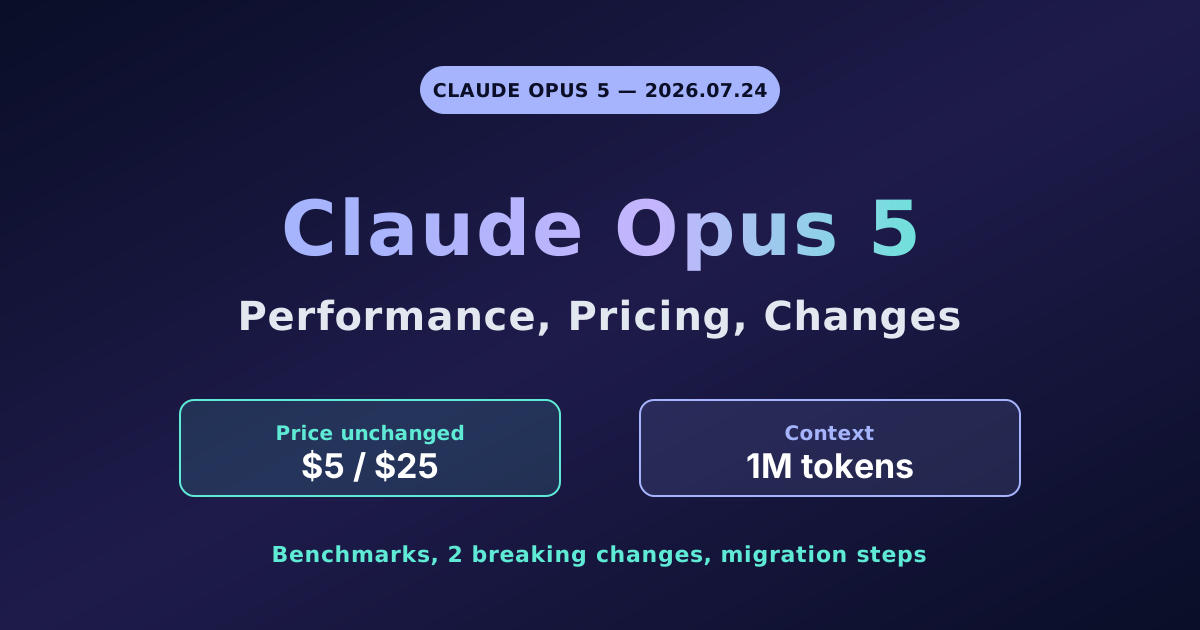
On June 9, 2026, Anthropic released Claude Fable 5 — unleashing, for the first time in a form ordinary users and developers can use, capability at the level of "Mythos," the frontier model long considered its most powerful internally. Anthropic positions it as the most powerful model it offers generally, with the tagline "built for long-running, complex work." This deep-dive, written so beginners can follow, covers what Fable 5 is (a public, safe form of Mythos-class capability, optimized for finishing a marathon rather than a single Q&A; model ID claude-fable-5), how it differs from its twin Mythos 5 (identical inside, only the safeguards differ; the public uses Fable), the benchmarks (SWE-Bench Pro 80.3% vs Opus 4.8 69.2 and GPT-5.5 58.6, a first-ever 90%+ on Hex long-running analysis, top on Cognition FrontierCode and Hebbia finance, new SOTA in vision playing Pokémon unaided), its real strength in long-running autonomy (focus across millions of tokens, 12-hour runs, Stripe completing a 50-million-line Ruby migration in one day versus two-plus months by hand, file memory boosting a game task 3x more than Opus 4.8, GitHub reporting high-autonomy long-horizon coding), pricing and availability ($10 input / $50 output per 1M tokens, 1M context and 128K output, free within each plan June 9-22 then credits, API claude-fable-5 and GitHub Copilot), a direct comparison with Opus 4.8 (standard $5/$25 vs $10/$50, +11.1 points on SWE-Bench Pro, same 1M context, Opus 4.8 Fast Mode at $10/$50; split heavy work to Fable 5 and the everyday to Opus 4.8 standard), the highlight new safety design (cyber, bio-chemistry, and distillation classifiers that fall back to Opus 4.8 only when dangerous, triggering in under 5% of sessions so 95%+ run at full performance, with 30-day retention of Mythos-class traffic), the context of releasing days after warning AI is too dangerous (a third path that closes only the dangerous areas), and when to use it. Figures are quoted from Anthropics announcement and reports and may change.

Getting Started with AI Video Generation [2026] — The Post-Sora Landscape, Veo/Kling, and Prompt Tips

Getting Started with AI Video Generation [2026] — The Post-Sora Landscape, Veo/Kling, and Prompt Tips

Type some text and a video with sound is born in seconds — what would have been science fiction not long ago became reality in 2026, and the situation is changing at a frightening pace. OpenAI's Sora, which had dominated the conversation, shut down its app and web in April 2026 (with the API to follow in September); in its place Google Veo, Kling, and Runway took the lead. This up-to-date (June 2026), tool-agnostic guide covers what AI video generation is (creating moving footage from words or an image, with audio sync, 1080p–4K, and image-to-video now standard), the 2026 landscape (the Sora shutdown — reported background of compute and cost pressure and falling users — and the current leads Google Veo 3.1, Kling 3.0, and Runway Gen-4.5, with per-second pricing the norm), how it works (diffusion models extended into the time dimension; text-to-video and image-to-video), the shared 5-step workflow (choose a tool, prompt/image, set length/ratio/audio, generate and pick, join in editing), the core video-prompt tips (subject + motion + camera work + style + length + audio, with verbs and camera the keys, one cut one action, use image-to-video, run the count), what it can and cannot do yet (long pieces in one shot and full consistency remain hard, and per-second cost adds up), and the rights, watermarks, and ethics essentials (SynthID and C2PA make AI provenance standard and unremovable, purely AI output is weakly protected with country differences, commercial use depends on terms, and deepfakes of real people are off-limits). Make cuts and join them in editing rather than aiming for a long piece in one shot. Because the field moves fast, always confirm the latest officially.

Getting Started with AI Image Generation — How It Works, the 4 Steps, the Image-Prompt Anatomy, and Rights

Getting Started with AI Image Generation — How It Works, the 4 Steps, the Image-Prompt Anatomy, and Rights

"I can't draw, so this isn't for me" — that preconception about AI image generation is backwards. Just instruct it in words, and seconds later you have pro-grade visuals. This cross-tool guide covers what AI image generation is (making images from scratch via words — the skill of communicating, not drawing; the image version of prompt engineering), how it works (diffusion models carve a picture out of random noise using your prompt as a cue, drawing from scratch each time so results wobble), the shared 4-step workflow that works in any tool (choose a tool, write a prompt, generate and pick, refine and finish — iteration is the premise), the core 6-part image-prompt anatomy (subject, scene/setting, style, light/color, composition/view, technical) plus negative prompts and aspect ratio — though GPT Image and Imagen prefer plain sentences while Stable Diffusion-family tools like word lists and negatives, 7 mastering tips (run the count, add bit by bit, reference images, inpainting, fix the seed, upscale, save good prompts), what AI struggles with (hands, text, consistency, fine accuracy) and workarounds, and the rights, commercial-use, and ethics essentials for work (purely AI output is weakly protected per the U.S. Copyright Office and the 2025 Thaler ruling, with country differences; commercial use depends on each tool's terms; deepfakes and unauthorized style mimicry are off-limits; provenance like DALL-E's C2PA metadata is spreading). Which tool to choose and tool-specific how-tos link out to the comparison, Midjourney, and Stable Diffusion articles. Know the anatomy, run the count, add words bit by bit — anyone can close in on the shot they want.

Prompt Engineering: The Practical Compendium — 6 Parts and Techniques to Get the Answers You Want from AI

Prompt Engineering: The Practical Compendium — 6 Parts and Techniques to Get the Answers You Want from AI

You ask the same AI the same thing, yet one person calls it useless while another is amazed at how capable it is — and the real cause of that gap is often not the AI's power but how the prompt is written. This is a practical compendium of that skill, prompt engineering, organized so a beginner can use it right away. It covers what prompt engineering is (the skill of designing and improving your instruction to AI — not code but the craft of how you say things), the three principles that change your results (be specific, give context, specify the output, plus "do X" over "don't do Y"), the core 6 parts of a good prompt (role, context, instruction, examples, format, constraints — the elements major frameworks like COSTAR and RCOF list in common; you do not need all six every time), 7 practical techniques (give a role, show a model/few-shot, reason step by step, fix the output format, structure with delimiters, do not over-ask at once, and iterate — the strongest being iteration), a before/after example, next-level techniques (chain of thought, self-consistency, prompt chaining, ReAct — though reasoning models like the o-series and Claude's extended thinking do CoT internally, so stating the goal works better), 7 common mistakes, and model-specific tips plus input safety. With internal links to app-development prompt tips and input precautions. Turn vague into specific, dumping into dialogue — anyone can improve starting today.

What Is the Technological Singularity? A Beginner-Friendly Guide — Mechanism, Predictions, and How It Differs from AGI

What Is the Technological Singularity? A Beginner-Friendly Guide — Mechanism, Predictions, and How It Differs from AGI

In June 2025, OpenAI's Sam Altman wrote on his blog, "We are past the event horizon; the takeoff has started" ("The Gentle Singularity"). Yet other researchers flatly dismiss the idea as something that will never come. This beginner guide explains that the singularity (technological singularity) is "the tipping point at which AI surpasses human intelligence and begins improving itself, so progress becomes explosively fast and can no longer be predicted or controlled" (a hypothesis, not realized as of 2026). It covers the heart of it — the intelligence explosion = recursive self-improvement, where smart AI builds even smarter AI and the improver changes from human to AI; how it differs from AGI and ASI (AGI/ASI are "states" of intelligence, the singularity is the "event" of becoming unpredictable; AGI → self-improvement → the sudden leap to ASI = the singularity); the history of the term (I. J. Good's 1965 "intelligence explosion" → Vinge popularizing the name in 1993 → Kurzweil mainstreaming it with "2045"); the wide spread of predictions (Kurzweil 2045, Altman "already begun," Vinge, and skeptics like Gary Marcus and the late Paul Allen's "complexity brake"); sudden hard takeoff vs. gradual soft takeoff; the hopes (breakthroughs in disease and science) and risks (loss of control, the alignment problem); the deep skepticism (complexity brake, physical limits, a different thing entirely); and common myths like "robots ruling," "immediate once AGI arrives," and "fixed for 2045." Neither fear it excessively nor dream too much — make the most of today's AI while watching calmly for what may come next.

AI's Impact on Lawyers, Accountants, and Tax Advisors: What Changes, What Stays

AI's Impact on Lawyers, Accountants, and Tax Advisors: What Changes, What Stays

In 2023, a lawyer was sanctioned after a ChatGPT-written brief cited cases that were all AI fabrications — and that episode spread global wariness about law and AI. Yet within a few years adoption exploded, with over 90% of lawyers said to use some AI in daily work. As the next entry in our AI-impact-by-industry series after #068 (trading), #094 (marketing), and #097 (consulting), this surveys the professions. The state of play in numbers (62% of lawyers report 6–20% weekly time savings; Harvey and Thomson Reuters' CoCounsel processed 10M+ legal documents in Q1 2026; generative-AI use at tax/accounting/audit firms jumped 8% in 2024 to 21% in 2025; a Stanford study shows early-career jobs in fields like accounting down 13% vs 2022, accountants +5% and bookkeepers -5%), the work AI changes by profession (lawyers = case research, contract review, obligation extraction; accountants = bookkeeping, vouching, sampling, risk ID; tax advisors = data entry, draft returns, statute search — AI does the groundwork, humans make the final call), the biggest pitfall of hallucination (inventing non-existent cases/statutes — leading to sanctions and lost trust; Harvey touts 99.7% verified-citation accuracy and flags the rest, CoCounsel grounds citations in a case database so it only cites real cases), the unchanging essential value (final judgment, professional skepticism, ethics, gray tax calls, and — decisively — signing and legal liability that can't be delegated to AI), the junior crisis (automating apprenticeship routine) and new roles (AI compliance officers, tax prompt engineers), and advice by role for practitioners, aspirants, and clients (verify citations and figures against primary sources; confirm confidentiality handling). Regulation and liability differ by country; in Japan, AI features in accounting software are also widespread. The question AI poses: is what you sell the work, or the judgment and responsibility?

How to Make Subtitles and Transcripts from Video/Audio with AI

How to Make Subtitles and Transcripts from Video/Audio with AI

Subtitling a one-hour video by hand used to eat a whole day — listen, pause, type, line up the timecode. In 2026 that hell finishes by "dropping in the video and waiting a few minutes." Focused on subtitling/transcribing video and audio content (meeting minutes go to #086, image OCR to #091), this guide covers the four stages AI automates (audio extraction → transcription with diarization → timecoding into SRT/VTT → translation and styling), the difference between subtitles (SRT/VTT) and transcripts and when to use each, a tool comparison (free-and-private Whisper, edit-everything Descript, high-accuracy-multilingual Sonix and Happy Scribe, individual-friendly Notta, mobile CapCut, easiest YouTube auto-captions — many using Whisper-family recognition under the hood), the most repeatable 4-step workflow (prepare → transcribe → proofread → export/attach SRT/VTT), recommendations by use case (YouTube, podcasts, lectures, interviews, confidential, multilingual), six accuracy tips with audio quality as 80% of the result (quality, language setting, proper-noun list, find-and-replace, diarization, line length), the royal-road multilingual workflow (perfect the source language → AI-translate → native review), and pitfalls — over-trusting accuracy, weakness on noise and jargon, copyright, confidential uploads, and timecode drift. On clean audio accuracy is 90–96% (published, condition-dependent) and labor drops 80–90%. The work to AI; the finish — checking proper nouns and watching it through — to you.